Clico
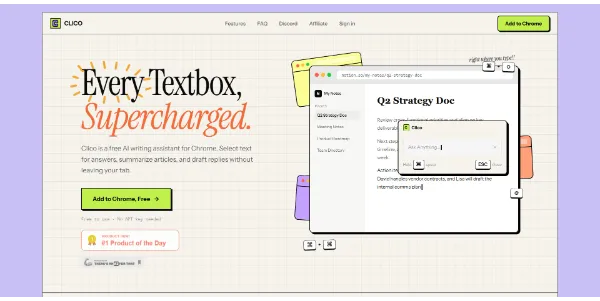
Clico is an AI creative studio for research, writing, and content creation, integrating various AI models into one workspace.
Related Categories
Relevant Reads
Related AI Tools

Cuey
Cuey de-risks AI answers by comparing responses across multiple LLMs, providing portable memory, and reducing hallucination risk.

DaVinci AI
AI Creative Studio for generating stunning images, videos, and voice content using 50+ top AI models.

Virse
AI creative system for professional designers and teams, integrating references, tools, and AI models in one connected workspace.

Clipdance
AI video generator that transforms text and images into professional 1080p videos with synchronized audio for creators.
Revid
Revid is an online AI video generator that transforms ideas, text, images, or references into high-quality videos for various content creation needs.
SlidesPilot
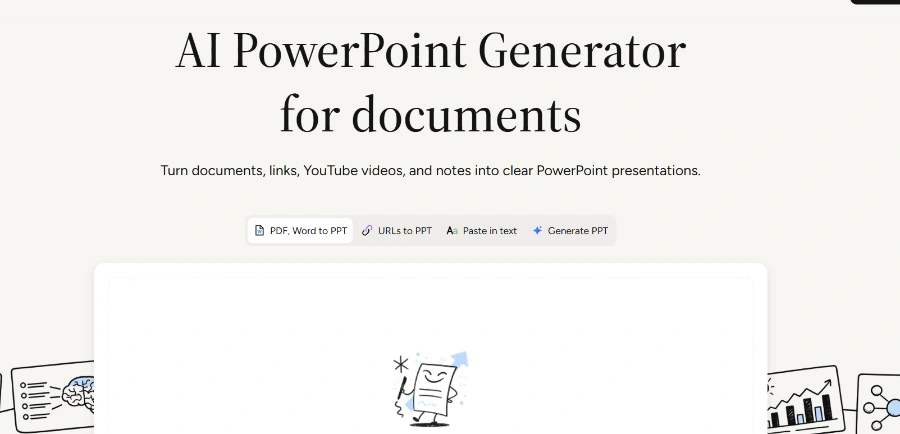
AI PowerPoint generator that converts documents, links, videos, and text into clear, presentation-ready slides.
LTX 2.5
LTX 2.5 is an all-in-one creative studio for AI video production, designed for creative teams, marketers, and filmmakers.
Freebeat AI Mobile
AI-powered mobile video generator for creating stunning visuals with a few taps.
Clico enables users to create diverse content types including images, videos, music, websites, and browser games, starting from ideas or existing inputs like photos, chat, or PDFs.
The platform provides access to a wide range of third-party chat, image, and video AI models, such as Claude Opus, GPT-6, Gemini, GPT Image 2.5, and Seedream, all within a unified workspace.
Users can engage with AI for conversational assistance, conduct deep research by combining web sources with user-provided attachments, and explain complex documents like PDFs in a structured format.
Clico allows for generating images from textual ideas, editing existing photos, and transforming still images into video. It supports the use of reference images to guide creation, with options to specify details to keep or change.
The platform enables users to build static websites and playable browser games by describing their concepts. Users can preview the results, request changes, and publish their creations directly.
Clico is accessible across multiple platforms, including a dedicated web application, a Chrome Extension for in-browser use, and a Desktop application for Mac, providing flexibility for different workflows.
Users can utilize personas to guide the response style and approach of the AI models, allowing for customized and context-specific interactions.
Subscribers to the Pro and Max plans have the ability to download the source code and built preview for the websites and games they create, offering greater control and customization.
Detailed Pricing Info
- Offers a wide range of creation options including images, videos, music, websites, and browser games from a single platform.
- Provides access to numerous third-party chat, image, and video models, allowing users to choose or auto-select the best tool for their task.
- Available as a web app, Chrome Extension, and Mac Desktop app, offering flexibility and integration into various workflows.
- Facilitates AI chat, deep research with web sources and user files, and document explanation (e.g., PDFs) for comprehensive research and writing.
- Offers a free plan with monthly credits and access to selected models, allowing users to start without financial commitment.
- Pro and Max users can download the source code for generated websites and games, providing greater control and customization.
- Video generation and access to the full range of chat and image models are restricted to paid plans.
- Backend services, user accounts, and payment processing for generated websites/games are not included and require separate setup.
- Reference images do not guarantee exact matches, and visual consistency can be limited, especially with certain models like GPT Image.
- All activities consume credits, which can be a limiting factor for heavy users, particularly on lower-tier plans.
How does Clico Web relate to Desktop and the Chrome Extension?
Can Clico create websites and browser games?
Can I publish or download what I build?
How does Clico use a reference image?
How does Deep Research work with web sources and my files?
Main Categories
Related Topics
Write a Review
Community Feedback (0)
Ready to try Clico?
Cuey
Cuey de-risks AI answers by comparing responses across multiple LLMs, providing portable memory, and reducing hallucination risk.
DaVinci AI
AI Creative Studio for generating stunning images, videos, and voice content using 50+ top AI models.
Virse
AI creative system for professional designers and teams, integrating references, tools, and AI models in one connected workspace.
Clipdance
AI video generator that transforms text and images into professional 1080p videos with synchronized audio for creators.
Revid
Revid is an online AI video generator that transforms ideas, text, images, or references into high-quality videos for various content creation needs.
SlidesPilot
AI PowerPoint generator that converts documents, links, videos, and text into clear, presentation-ready slides.
LTX 2.5
LTX 2.5 is an all-in-one creative studio for AI video production, designed for creative teams, marketers, and filmmakers.
Freebeat AI Mobile
AI-powered mobile video generator for creating stunning visuals with a few taps.