

Hitem3D
Hi3D is an AI-powered 3D model generator that creates high-fidelity 3D models from images or text for designers, artists, and 3D printing enthusiasts.
Relevant Reads
Related AI Tools
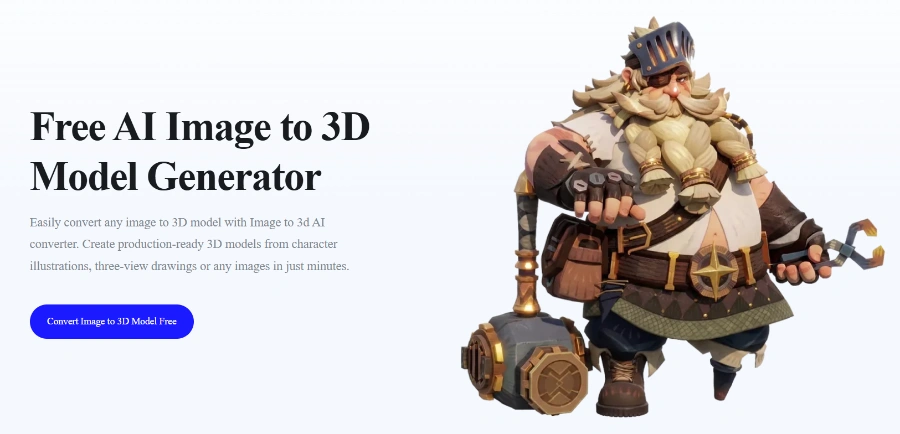
Image to 3D AI
AI tool generating high-quality 3D models from images or text, free and fast, for developers and designers.

TRELLIS.2
AI 3D tool for generating, editing, and downloading 3D models from text or images, offering free access to millions of assets.

Lingbot-map
AI-powered 3D model generator that creates high-fidelity, production-ready 3D models from images, optimized for various applications including 3D printing.

Lyra 2.0 Nvidia
Lyra 2.0 is an AI framework for generating persistent, explorable 3D worlds from a single image, designed for researchers.

Roblox Cube Model
Roblox Cube Model powers 4D generation, enabling creators and players to generate functional, interactive 3D objects using natural language prompts.
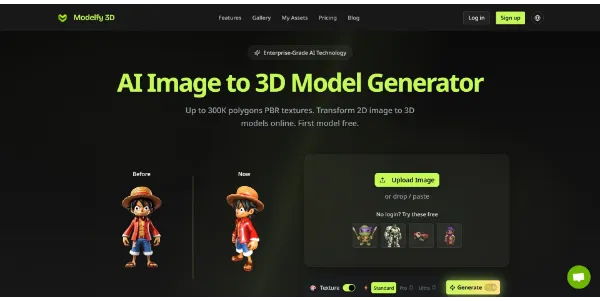
Modelfy 3D
AI image to 3D model generator transforming 2D images into high-polygon 3D models for printing, games, and professional projects.

Sharp Apple
Hi3D is an AI-powered 3D model generator that creates high-fidelity, production-ready 3D models from images for artists, game developers, and 3D printing enthusiasts.
Generate high-fidelity 3D models from various inputs, including natural language descriptions (Text to Image/3D) or reference images (Image to 3D), transforming ideas into production-ready 3D assets.
Produces 3D models with accurate form, crisp detail, improved proportions, contours, depth, and surface texture, supporting Industry-First 2048³ Production-Ready 8K PBR.
Automatically splits complex 3D models into manageable parts and generates connection structures, simplifying assembly and printing for easier interaction.
Intelligently detects color regions and boundaries within a model, preparing it seamlessly for multi-color 3D printing with features like precise color detection and smart filament matching.
Allows export of generated 3D models in popular formats including STL, OBJ, 3MF, GLB, and USDZ, and enables direct connection to existing slicer software for a continuous printing workflow.
Includes features like Smart Geometry Completion, Print-Ready Optimization, and Smart Arrangement to find suitable orientation and placement for efficient 3D printing.
Detailed Pricing Info
- Generates high-fidelity 3D models with accurate form and crisp detail, including 2048³ Production-Ready 8K PBR.
- Enables rapid 3D model creation from various inputs, including single images, text prompts, or templates, significantly speeding up the design process.
- Offers advanced print-ready optimization features like smart model splitting for complex assemblies and smart color separation for multi-color printing.
- Reduces manual modeling and mesh cleanup time, allowing creators to focus on creative aspects and functional design.
- Supports export in multiple popular 3D formats (STL, OBJ, 3MF, GLB, USDZ) and integrates with existing slicer workflows.
- Domain accuracy and output quality depend directly on providing clear, detailed initial prompt guidance.
- High-volume batch processing and heavy generation workloads require higher-tier credit allocations.
How do I cancel my subscription?
Can I request a refund for my subscription?
How can I earn Credits?
Which Credits are used first?
Will I be charged if a generation fails?
Main Categories
Related Topics
Write a Review
Community Feedback (0)
Ready to try Hitem3D?
Image to 3D AI
AI tool generating high-quality 3D models from images or text, free and fast, for developers and designers.
TRELLIS.2
AI 3D tool for generating, editing, and downloading 3D models from text or images, offering free access to millions of assets.
Lingbot-map
AI-powered 3D model generator that creates high-fidelity, production-ready 3D models from images, optimized for various applications including 3D printing.
Lyra 2.0 Nvidia
Lyra 2.0 is an AI framework for generating persistent, explorable 3D worlds from a single image, designed for researchers.
Roblox Cube Model
Roblox Cube Model powers 4D generation, enabling creators and players to generate functional, interactive 3D objects using natural language prompts.
Modelfy 3D
AI image to 3D model generator transforming 2D images into high-polygon 3D models for printing, games, and professional projects.
Sharp Apple
Hi3D is an AI-powered 3D model generator that creates high-fidelity, production-ready 3D models from images for artists, game developers, and 3D printing enthusiasts.