

TeachQuill
AI toolkit for K-12 teachers to generate lesson plans, worksheets, quizzes, and special education support materials.
Relevant Reads
Related AI Tools

GPT for Work
AI agent for Excel and Google Sheets to automate spreadsheet tasks, data cleaning, analysis, formula writing, and content generation.

Edubrain AI
AI homework helper providing step-by-step solutions for any subject from various file types, no sign-up required.

Google AI Edge Eloquent
An AI-powered iOS dictation app that transforms natural speech into clean, professional text using on-device processing.
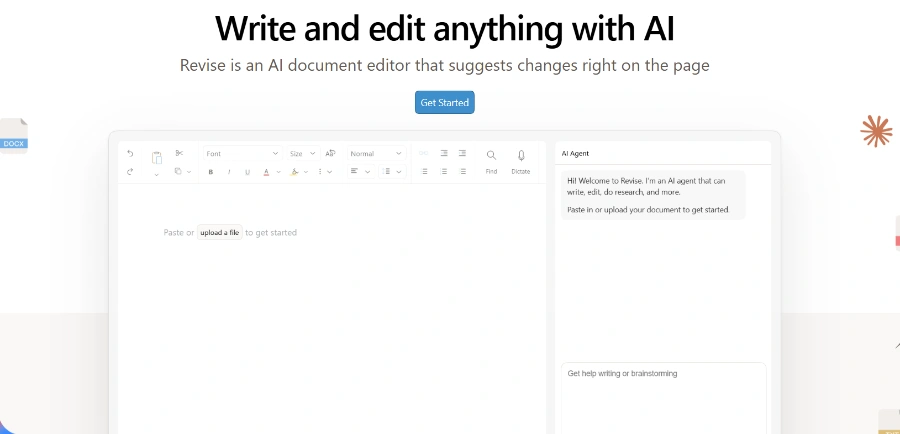
Revise
AI document editor for writing, proofreading, reformatting, and revising entire documents with tracked changes.
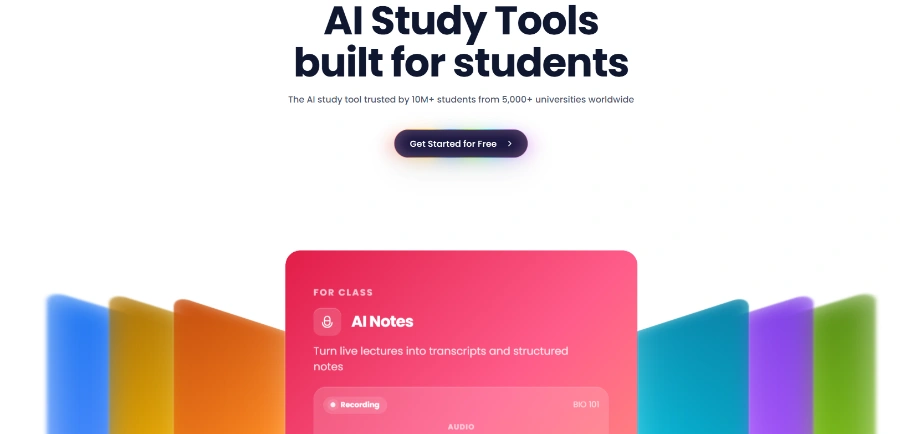
Solvely.ai
Solvely.ai is an all-in-one AI study tool providing homework help, notes, flashcards, quizzes, and exam preparation for students.

CinLink
CinLink is an AI-powered video editing tool that transforms natural language instructions into complete media workflows for creators and businesses.

Roger
Roger is an AI agent that automates Google and Meta ad campaign management, identifies wasted spend, generates creative, and provides actionable insights.

Sidekick Pro
Sidekick Pro is an AI agent platform that automates email, calendar, calls, texts, meetings, and browser tasks for small businesses and professionals.
Generates comprehensive lesson plans, unit plans, curriculum maps, syllabi, and sub plans for all grade levels and scopes, including 5E lesson plans and weekly/daily planners.
Creates differentiated and export-ready worksheets, quizzes, slides, flashcards, and graphic organizers, including specific generators for math, vocabulary, fill-in-the-blank, true/false, and multiple-choice questions.
Generates rubrics, essay feedback, report card comments, and performs gap analysis, designed to save hours of grading time weekly.
Creates IEP goals, BIPs, 504 plans, social stories, and differentiated instruction materials, informed by IDEA and designed to be FERPA-safe.
AI models are specifically trained on Common Core State Standards (CCSS) for Math and ELA, and Next Generation Science Standards (NGSS), with the ability to request specific state standards like TEKS or SOL.
All generated content is fully editable inline and can be exported to PDF, Google Docs, or Slides, formatted and print-ready without extra formatting work.
TeachQuill is FERPA compliant and designed so that teachers never need to input student Personally Identifiable Information (PII) for most workflows, ensuring student data safety.
Detailed Pricing Info
- Significantly reduces teacher prep time for lesson planning, material creation, and grading, allowing more focus on teaching.
- Offers a comprehensive suite of over 100 AI tools covering all stages of teaching, from planning to student support, in one platform.
- Generates standards-aligned content (CCSS, NGSS, state-specific) quickly, ensuring relevance and quality of educational materials.
- User-friendly interface allows plain language input, automatically routing requests to the best tool and generating editable outputs.
- Strong support for differentiation and special education needs, including IEP goal generation and Differentiated Instruction tools.
- Prioritizes privacy with FERPA compliance and a design that avoids the need for student PII in most workflows.
- Generated content, while a strong draft, still requires teacher review and potential editing to perfectly match specific classroom contexts or nuanced pedagogical approaches.
- The free and Pro plans operate on a credit-based system, which may impose limitations on very heavy users, despite daily/monthly refreshes.
- Primarily focused on US educational standards (CCSS, NGSS, state-specific), which might necessitate more manual adaptation for educators outside the US or those using different curriculum frameworks.
- No explicit mention of an API or developer access for integration with other educational platforms or custom workflows.
Is TeachQuill free to use?
Are the resources aligned with US Standards?
Is student data safe?
Can I edit the content generated by AI?
Can I share resources with my team?
Do you offer school or district licenses?
Related Topics
Write a Review
Community Feedback (0)
Ready to try TeachQuill?
GPT for Work
AI agent for Excel and Google Sheets to automate spreadsheet tasks, data cleaning, analysis, formula writing, and content generation.
Edubrain AI
AI homework helper providing step-by-step solutions for any subject from various file types, no sign-up required.
Google AI Edge Eloquent
An AI-powered iOS dictation app that transforms natural speech into clean, professional text using on-device processing.
Revise
AI document editor for writing, proofreading, reformatting, and revising entire documents with tracked changes.
Solvely.ai
Solvely.ai is an all-in-one AI study tool providing homework help, notes, flashcards, quizzes, and exam preparation for students.
CinLink
CinLink is an AI-powered video editing tool that transforms natural language instructions into complete media workflows for creators and businesses.
Roger
Roger is an AI agent that automates Google and Meta ad campaign management, identifies wasted spend, generates creative, and provides actionable insights.
Sidekick Pro
Sidekick Pro is an AI agent platform that automates email, calendar, calls, texts, meetings, and browser tasks for small businesses and professionals.