
Picsart GenAI MCP & CLI
Picsart GenAI MCP & CLI 是一款旨在优化 Developer Tools 工作流程的顶级人工智能工具。
相关AI工具

ZCode
ZCode is an open-source AI coding agent for developers, offering multi-platform support across IDEs, CLI, and cloud with flexible model choices.

CometAPI
Unified API for 500+ AI models, simplifying access, billing, and management for developers and enterprises.

Springbrand
SpringBrand offers tools and a marketplace to enhance DeepSeek Harness (dsh), an open-source, plugin-based AI agent harness for developers.

HiAPI
HiAPI is a unified AI API gateway for image, video, audio, and text generation models, built for developers.
Kitesurf Cloudflare
Cloudflare is a global network platform offering developer tools for building, securing, and scaling applications, agents, and workforce, with integrated AI capabilities.
Diagrid
Diagrid provides agentic durable execution for production AI, ensuring automatic crash recovery and cryptographically verifiable execution for AI agents.
SeedRealtime
SeedRealtime is a native audio-visual full-duplex LLM enabling real-time, omni-modal interaction by fusing audio, video, and text for developers.
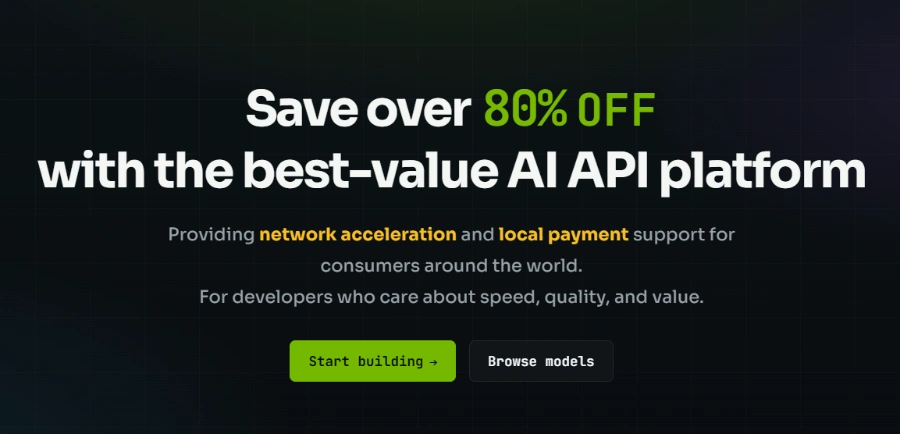
2KEN AI API Gateway
2KEN is a unified AI API gateway for developers to access multiple AI models with one API key, offering cost savings and stable routing.
Connects Picsart's creative tools to compatible AI assistants such as Claude, Cursor, and ChatGPT, allowing users to generate and edit media directly within their AI workspace.
Provides a CLI for terminal-based automation, enabling users to auto-generate content and utilize advanced features like Picsart Skills for structured creative workflows.
Generates images, video, and audio content from text prompts using a diverse catalog of AI models, including Flux, Veo, Kling, GPT Image, Seedance, Recraft, and Eleven.
Offers tools to edit generated or existing media, such as removing or replacing backgrounds, enhancing images, and converting images to SVG format.
Allows users to ask their AI assistant for a credit estimate before initiating any generation, ensuring transparency and control over costs.
Adds reusable instructions for complex creative tasks like image creation concepts, video reel planning, and product catalog generation, enhancing automation and consistency.
Automatically saves generated media to Picsart Drive, allowing users to browse, upload, and organize their files directly from their connected AI assistant.
详细定价信息
- Seamless integration with popular AI assistants like Claude, Cursor, and ChatGPT, enabling in-workspace content creation.
- Offers multi-modal AI generation capabilities, supporting the creation of images, video, and audio from text prompts.
- Provides access to a wide and diverse catalog of leading AI models for various creative outputs.
- Includes a Command Line Interface (CLI) for advanced users to automate content generation and utilize reusable 'Skills'.
- Enables users to compare model options and receive credit cost estimates before generation, promoting cost awareness.
- Requires a Picsart account and sufficient credits for all generation and editing tasks, meaning no free usage for core functionalities.
- Advanced features like 'Picsart Skills' require the installation and login to the Picsart CLI, adding an extra setup step for some users.
- Compatibility and available features can vary based on the specific AI assistant used and its associated plan or workspace permissions.
What is Picsart MCP?
Do I need to install the Picsart CLI?
Does connecting Picsart cost anything?
Where do my generated assets go?
What do I need before connecting?
相关主题
发表评价
社区反馈 (0)
准备好试用 Picsart GenAI MCP & CLI 了吗?
ZCode
ZCode is an open-source AI coding agent for developers, offering multi-platform support across IDEs, CLI, and cloud with flexible model choices.
CometAPI
Unified API for 500+ AI models, simplifying access, billing, and management for developers and enterprises.
Springbrand
SpringBrand offers tools and a marketplace to enhance DeepSeek Harness (dsh), an open-source, plugin-based AI agent harness for developers.
HiAPI
HiAPI is a unified AI API gateway for image, video, audio, and text generation models, built for developers.
Kitesurf Cloudflare
Cloudflare is a global network platform offering developer tools for building, securing, and scaling applications, agents, and workforce, with integrated AI capabilities.
Diagrid
Diagrid provides agentic durable execution for production AI, ensuring automatic crash recovery and cryptographically verifiable execution for AI agents.
SeedRealtime
SeedRealtime is a native audio-visual full-duplex LLM enabling real-time, omni-modal interaction by fusing audio, video, and text for developers.
2KEN AI API Gateway
2KEN is a unified AI API gateway for developers to access multiple AI models with one API key, offering cost savings and stable routing.